Food Safety in Catering Level - 2
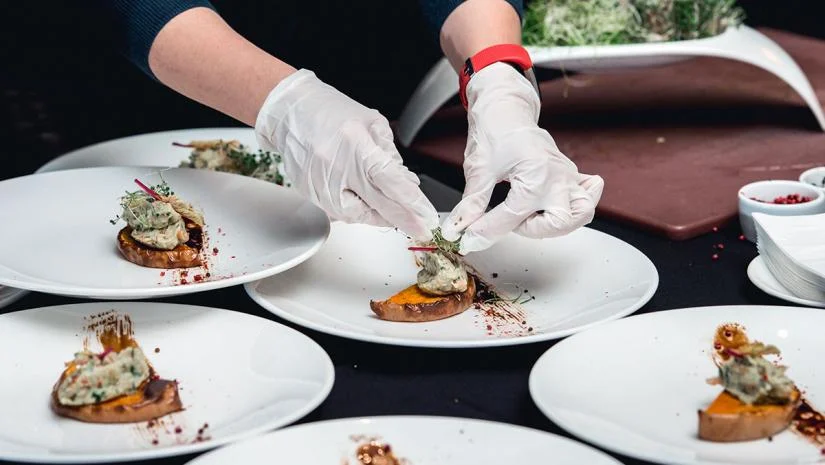
Essential Food Hygiene Training for Catering Professionals
Dealine: 2025-11-30
Course Description
The Level 2 Food Safety in Catering course is one of Fairmont College’s core compliance qualifications, designed for anyone working in a role where food is prepared, handled, cooked, or served. This accredited training provides the essential knowledge required to maintain high standards of food hygiene and comply with UK food safety legislation.
Whether you work in a restaurant, café, takeaway, hotel, school, or catering business, this course ensures you understand your responsibilities and can keep customers safe.
Module 1: Think Like a Computer – Logic & Computational Thinking (Python Prep)
|
Week |
Class |
Topic /
Activity |
Learning
Objective |
Outcome /
Project Milestone |
|
Week 1 |
Class 1 |
Introduction to Innovation & Logic |
Understand what logic is and how computers follow
steps |
Fun “If–Then” logic game (offline activity) |
|
Class 2 |
Sequencing & Pattern Recognition |
Identify and create patterns; sequence instructions |
Create your own “Robot Dance” sequence using step
instructions |
|
|
Week 2 |
Class 3 |
Algorithms & Decomposition |
Learn how big problems can be broken into smaller
steps |
Write an algorithm for brushing teeth, making a
sandwich, or simple daily task |
|
Class 4 |
Introduction to Python Basics |
Learn Python syntax for print, input, and simple
calculations |
Write a program that asks user name and prints a
greeting |
|
|
Mini-Project: Logic Puzzle Game |
— |
Apply logic and basic Python |
Combine logic, sequencing, and simple Python
commands |
Project 1: “Logic Quest” – a mini Python program with questions/puzzles
using if–else logic |
Module 2: Coding Foundations (Python)
|
Week |
Class |
Topic /
Activity |
Learning
Objective |
Outcome /
Project Milestone |
|
Week 3 |
Class 5 |
Understanding Variables & Inputs |
Learn how Python stores and uses data; take input
from users |
Create a “Name Greeting” program that asks user name
and responds |
|
Class 6 |
Loops & Repetition |
Learn how for and while loops work to repeat actions |
Animate shapes or print patterns repeatedly using
Python |
|
|
Week 4 |
Class 7 |
Conditions & Decisions (if–elif–else) |
Learn decision-making using conditional statements |
Build a simple “Math Quiz” that gives feedback based
on answers |
|
Class 8 |
Functions & Simple Modules |
Learn how to create reusable blocks of code |
Write a program with a function to calculate area or
greet users |
|
|
Mini-Project: Interactive Python Story / Quiz |
— |
Combine variables, loops, conditions, and functions |
Apply Python concepts to a fun interactive program |
Project 2: “Adventure Quiz” or “Choose Your Path”
Python Game |
Module 3: Creative Python Projects – Animation & Game Design
|
Week |
Class |
Topic /
Activity |
Learning
Objective |
Outcome /
Project Milestone |
|
Week 5 |
Class 9 |
Introduction to Game Design in Python |
Learn basic game mechanics: movement, score, goals |
Move a sprite or character using Python (Turtle /
Pygame basics) |
|
Class 10 |
Motion, Sound & Interactivity |
Add motion and sound to Python projects |
Build a “Catch the Fruit” mini-game using Python |
|
|
Week 6 |
Class 11 |
Levels & Difficulty |
Learn to increase difficulty with variables and
loops |
Add multiple levels or speed challenges to mini-game |
|
Class 12 |
User Interface & Creativity |
Explore simple UI design in Python |
Finalize game aesthetics (color, score, interaction) |
|
|
Mini-Project: Python Game / Animation |
— |
Combine coding skills into an interactive project |
Encourage creativity and problem-solving |
Project 3: “My First Python Game / Animation” |
Module 4: AI for Kids – Smart Machines & Ethics
|
Week |
Class |
Topic /
Activity |
Learning
Objective |
Outcome /
Project Milestone |
|
Week 7 |
Class 13 |
What is AI? Understanding Smart Machines |
Discover examples of AI in everyday life |
Group discussion: “AI Around Us” |
|
Class 14 |
How Machines Learn (Patterns & Data) |
Understand training data, prediction, and patterns |
“Train the Model” paper exercise |
|
|
Week 8 |
Class 15 |
Hands-on: Google Teachable Machine |
Train a simple AI model (image/sound recognition) |
Create a model to detect emotions, sounds, or
objects |
|
Class 16 |
AI Ethics & Bias |
Explore fairness, privacy, and bias in AI |
Debate: “Should Robots Replace Teachers?” |
|
|
Mini-Project: Smart AI Concept |
— |
Combine Python skills + AI concepts |
Apply creativity and AI understanding |
Project 4: AI Mini Demo or Poster (“Smart Pet” / “Smart Waste Sorter”) |
Module 5: Data Detectives – From Numbers to Insights
|
Week |
Class |
Topic /
Activity |
Learning
Objective |
Outcome /
Project Milestone |
|
Week 9 |
Class 17 |
What is Data? Collection & Organization |
Learn how data is collected, stored, and organized |
Collect class data (favorite fruits, hobbies) |
|
Class 18 |
Visualizing Data (Charts & Graphs) |
Create visuals using Python libraries (matplotlib)
or Excel |
Make bar and pie charts |
|
|
Week 10 |
Class 19 |
Data Patterns & Insights |
Analyze data to find trends |
Interpret results (e.g., “Most popular fruit in
class”) |
|
Class 20 |
Linking Data to AI |
Understand how AI uses data to make predictions |
Simple demo: “How AI predicts weather or trends” |
|
|
Mini-Project: Data Tracker |
— |
Combine coding + data visualization |
Build a small data-driven project |
Project 5: “My Data Story” (Python or Excel tracker) |
Module 6: Innovation Showcase – My AI-Powered World
|
Week |
Class |
Topic /
Activity |
Learning
Objective |
Outcome /
Project Milestone |
|
Week 11 |
Class 21 |
Brainstorming & Design Thinking |
Identify real-world problems and brainstorm
solutions |
Mind-map ideas for “AI for Good” project |
|
Class 22 |
Prototype & Build |
Combine previous learning (Python + AI + Data) |
Work on final project in teams |
|
|
Week 12 |
Class 23 |
Testing & Presentation Skills |
Learn how to present ideas effectively |
Prepare slides, poster, or Python demo |
|
Class 24 |
Final Showcase |
Present projects to peers/teachers/parents |
“AI for Education” or “AI for Environment” fair |
|
|
Final Capstone: AI for Good Showcase |
— |
Celebrate and reflect on learning journey |
Develop creativity, confidence, and tech literacy |
Project 6: “My AI Innovation” |